
Webinar Configuration: Cloudpresenter
Solo Designer
•
Design System
•
2023

About Cloudpresenter
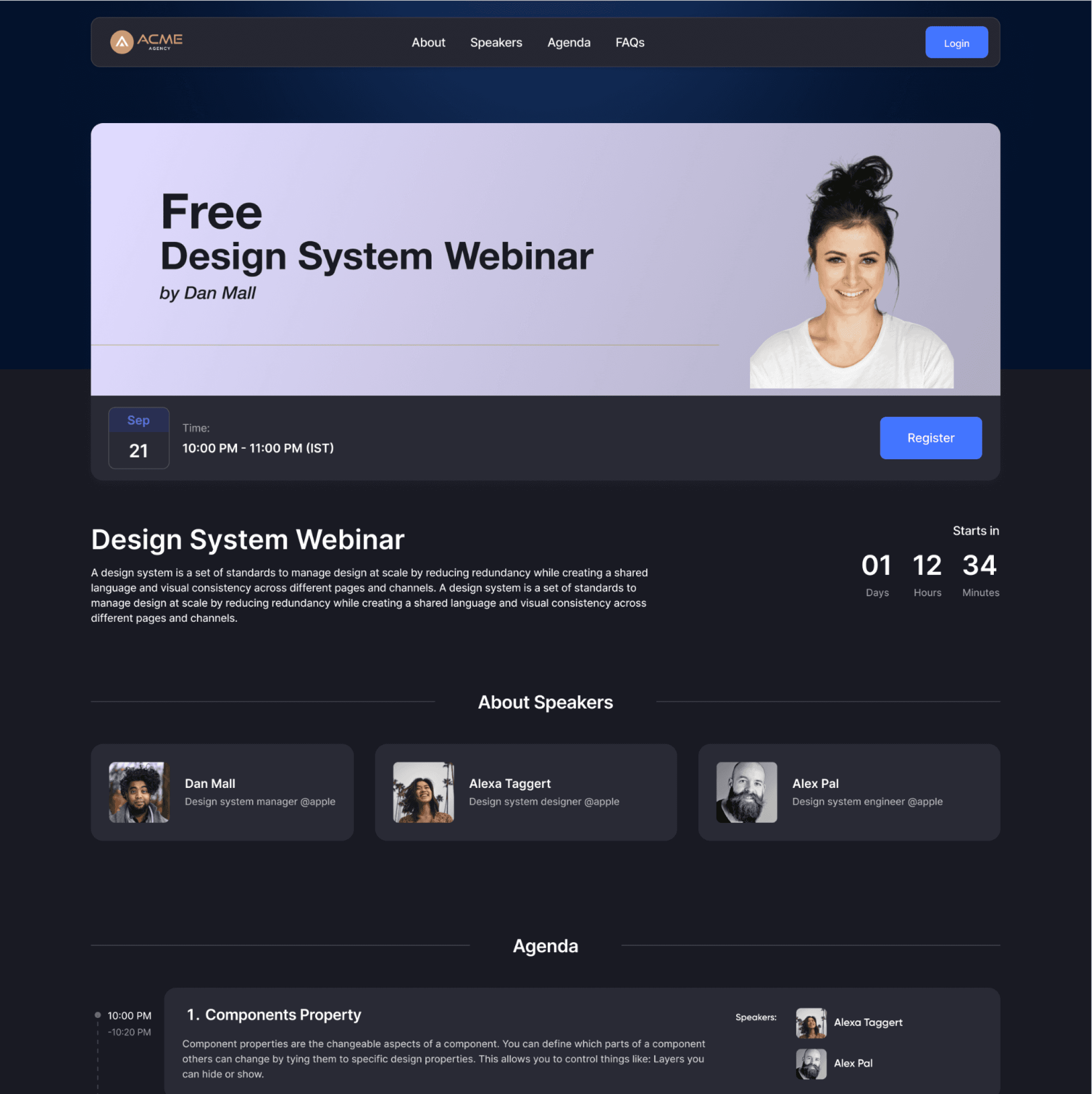
Cloudpresenter is a video meeting and webinar platform designed for internal teams and virtual events. It allows you to set up one-time or recurring meetings (yes, like Google Meet) and manage webinars from start to finish.
Problem Statement:
As part of the complete product revamp, there is a need for an end-to-end webinar creation process that seamlessly integrates speaker management, landing page generation, registration, and email automation in a single platform. Additionally, hosts require access to recording and analytics after the webinar to evaluate performance and engagement. The goal is to redesign the webinar creation platform, transforming it into a modern, seamless experience that is intuitive, efficient, and accessible for all users.
My Role:
Product design, design systems.
The Team:
Solo designer, Agency &
Cloudpresenter CEO, 5 Engineers
Timeline:
1 Month
Understand User Persona
To gain a better understanding of the workflow, it is essential to consider the different personas involved in the webinar creation journey. This will help ensure a seamless and user-centric experience for all stakeholders.

Host
Creates the webinar and has all rights to manage webinar.

Producer
Added by host to manage event and has full rights to manage.

Moderator
Added by host to manage participants during event.

Speaker
Going to speak in the event.

Participant
Who submitted the form and interested in the event.
Let’s Get Into It
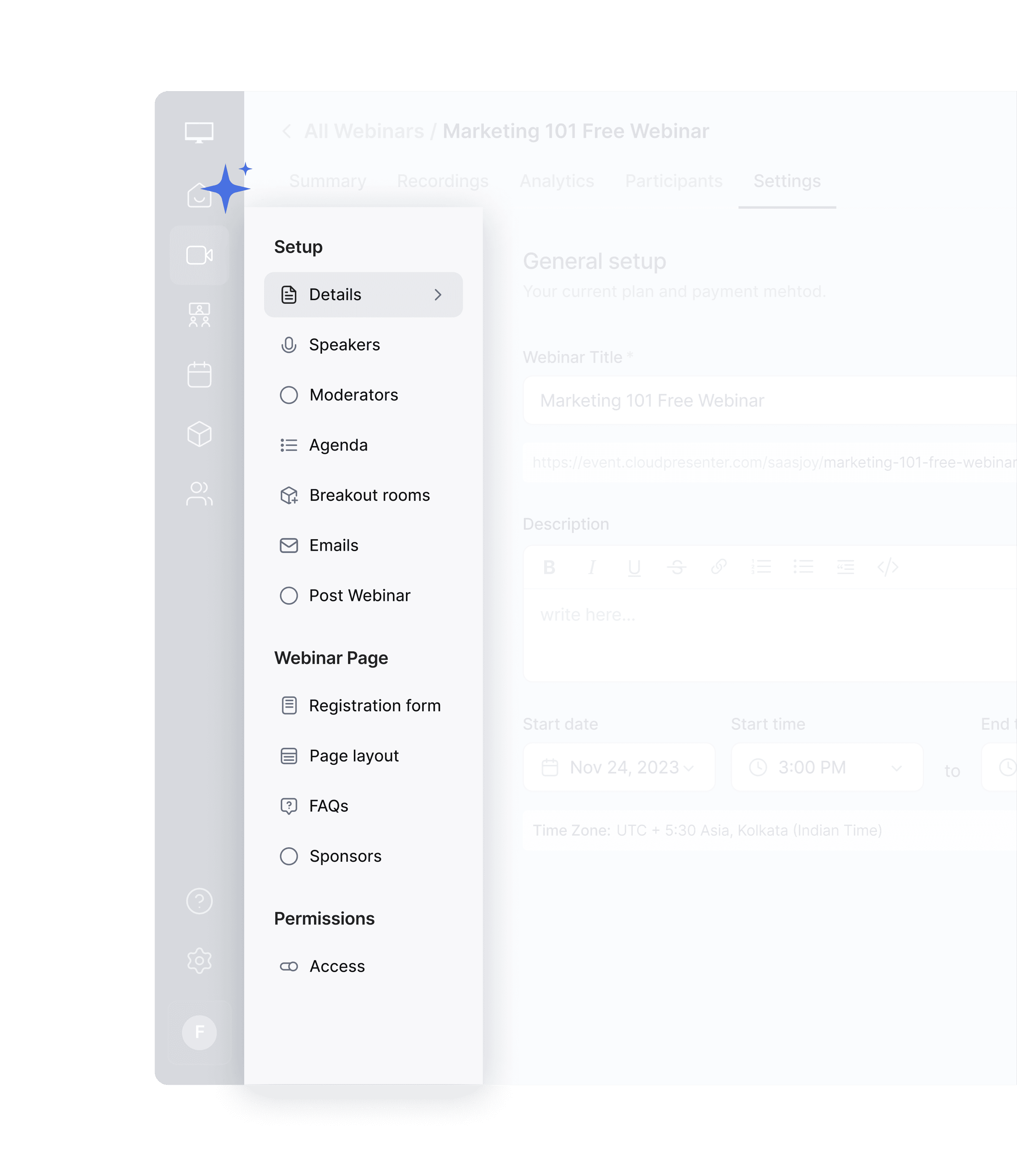
Based on research, we identified all essential elements required to create and manage a fully functional webinar. To streamline the process, we structured the workflow into three key sections within the secondary navigation, allowing users to configure each aspect seamlessly.
Setup: Manage all setup-related tasks, including adding moderators and speakers, setting up the agenda, configuring breakout rooms, and enabling email automation.
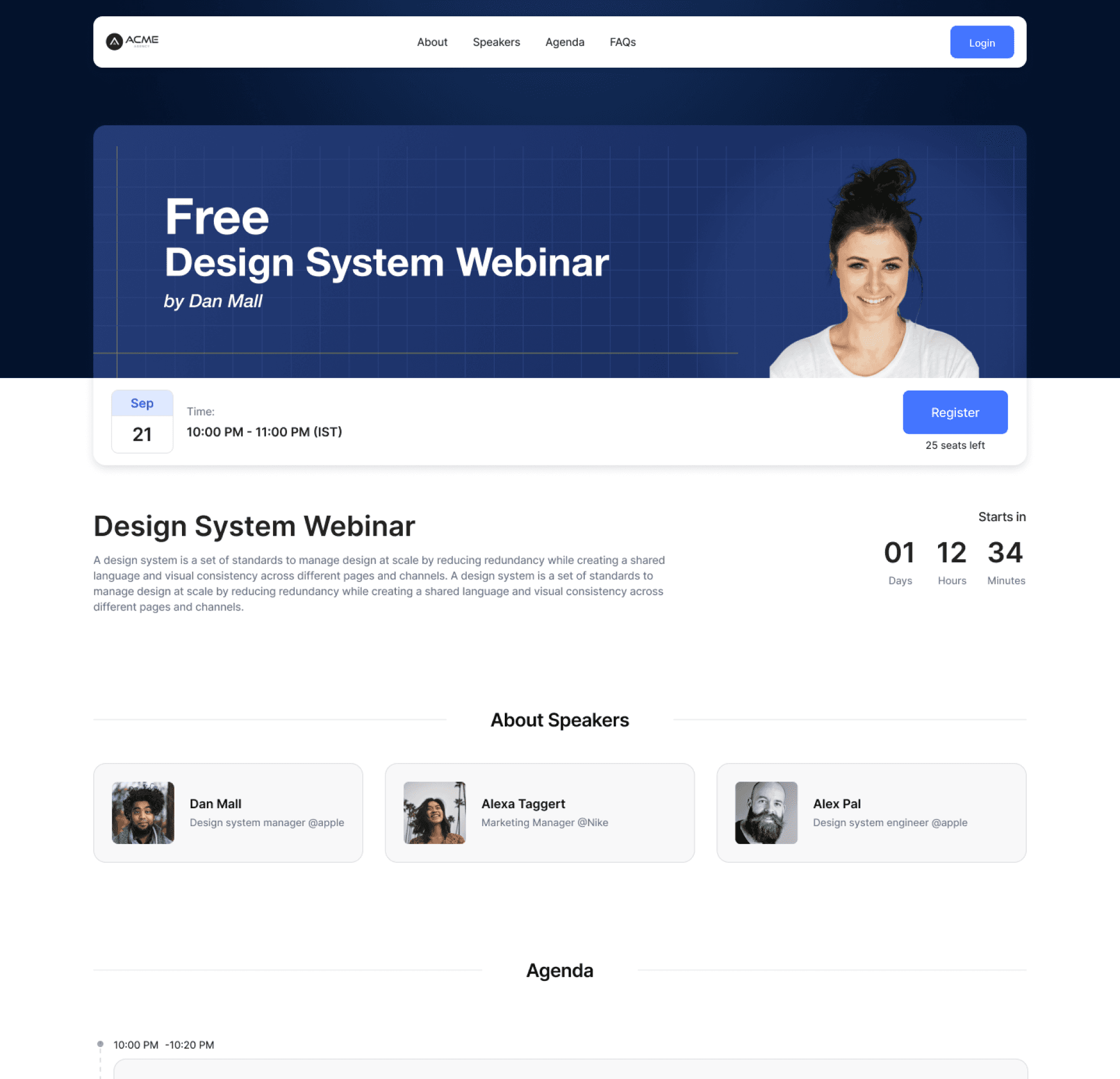
Webinar Pages: Oversee all webinar landing page settings. The landing page is automatically generated based on the setup details, and hosts can select a theme and customize it to align with their brand.
Access: Control master access and permissions, including who can unmute, turn on their camera, and participate in Q&A and chat.
Let’s Start with Some Straightforward Flows
A user flows that is just create, read, update & delete like Speakers management, Agenda, Breakout
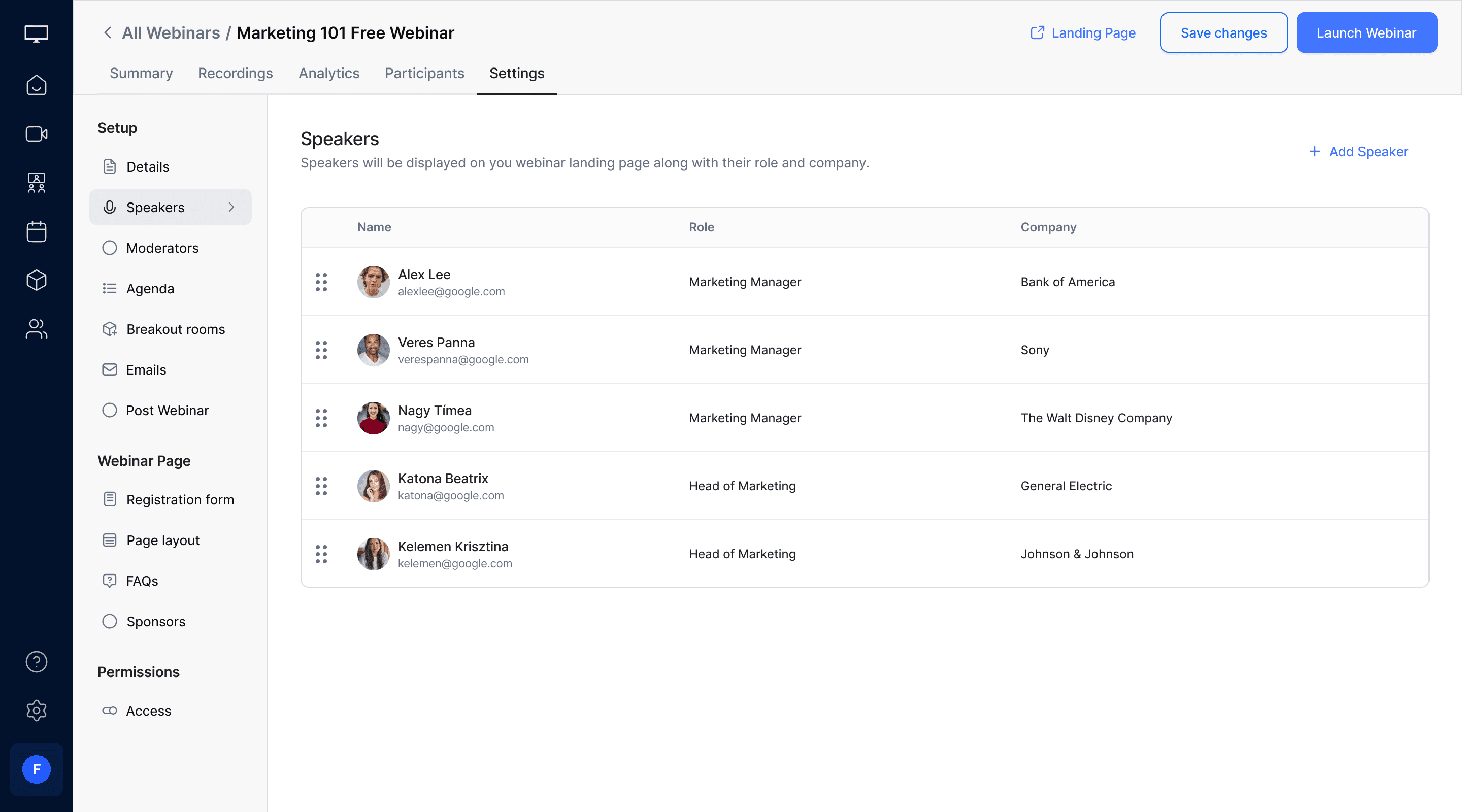
Speakers
Host will add the speaker as a quick modal, fill their information. The added speakers will be listed in a table format and the order will be the same on the landing page as the added list
Agenda
The agenda will be published on the landing page for visitors. It will include the title, description, timestamp, and the speaker for each agenda item. The order of the agenda on the landing page will match the setup configuration.
Email Automation
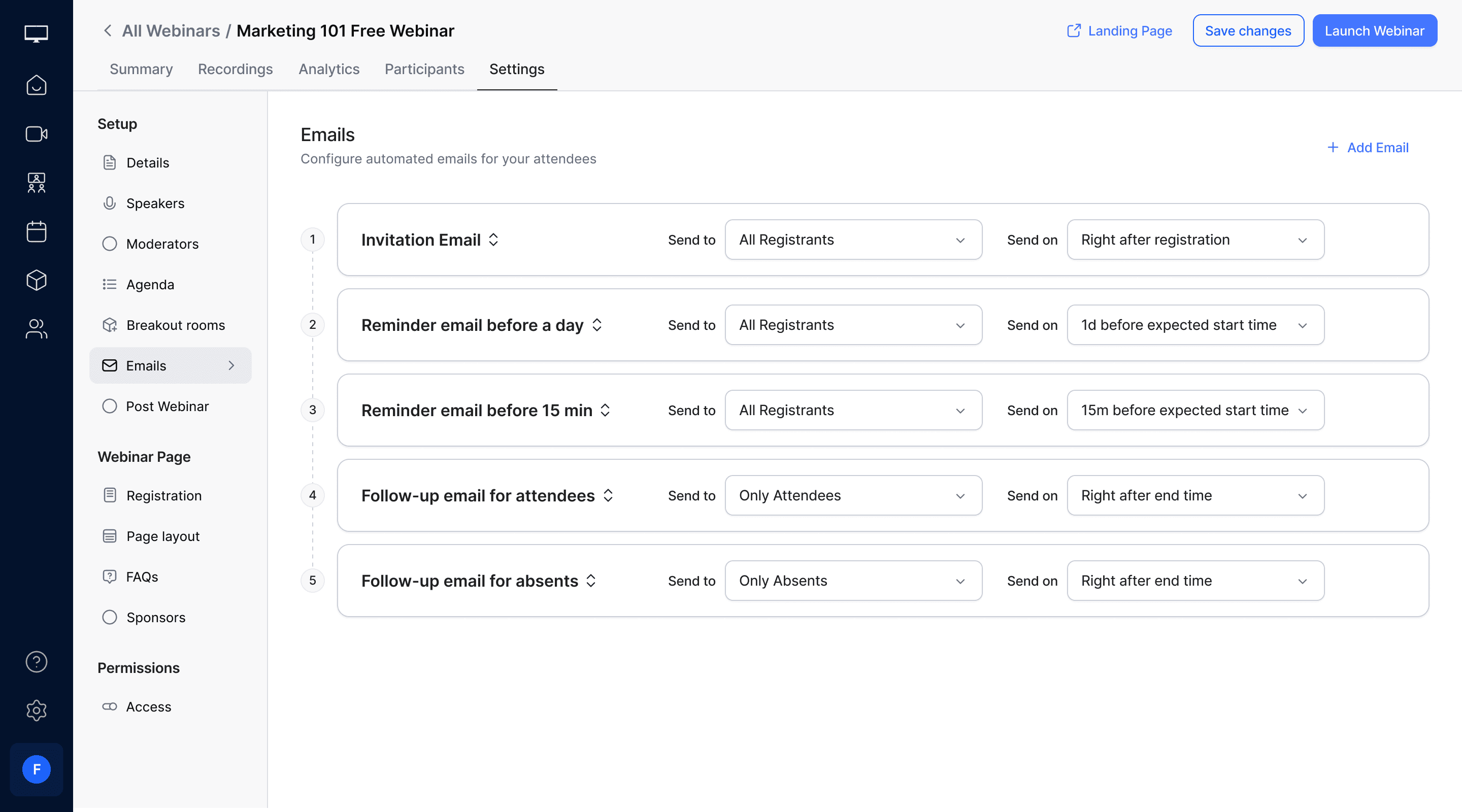
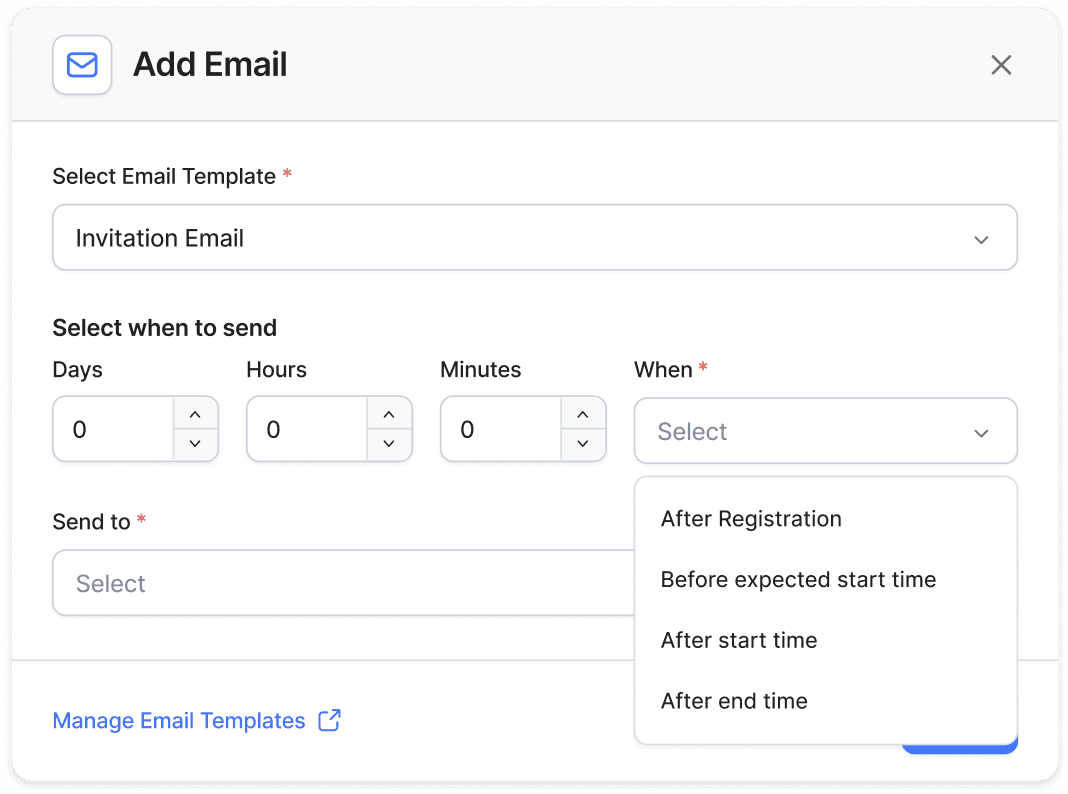
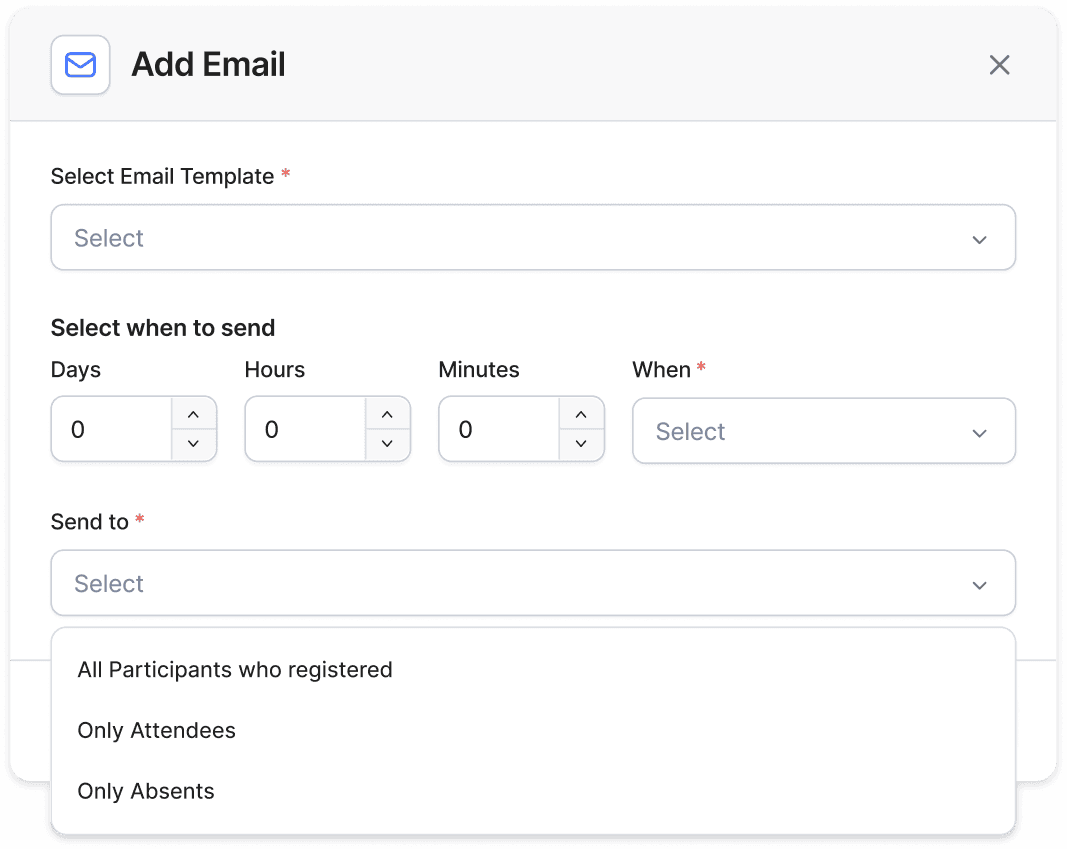
An automatic email-sending feature that can be sent to all registrants, attendees, and absentees. Emails can be scheduled at various time intervals, such as after registration, before the event's expected start time, after the start time, or after the event ends, providing a wide range of use cases for the event owner.
When to send
After registration
Before event start time
After event start Time
After event end time
Whom to send
All registrants
All attendees
All absents
Emails can be
Invitation email
Reminder emails
Follow-up emails etc.
your templates
Invitation Email
Reminder 1 hour
Reminder 15 minutes
Follow-up for attendees
Follow-up for absents
New Template
Select existing template or create new
Email Automation Configuration Modal
Email Configuration Modal
Registration Form
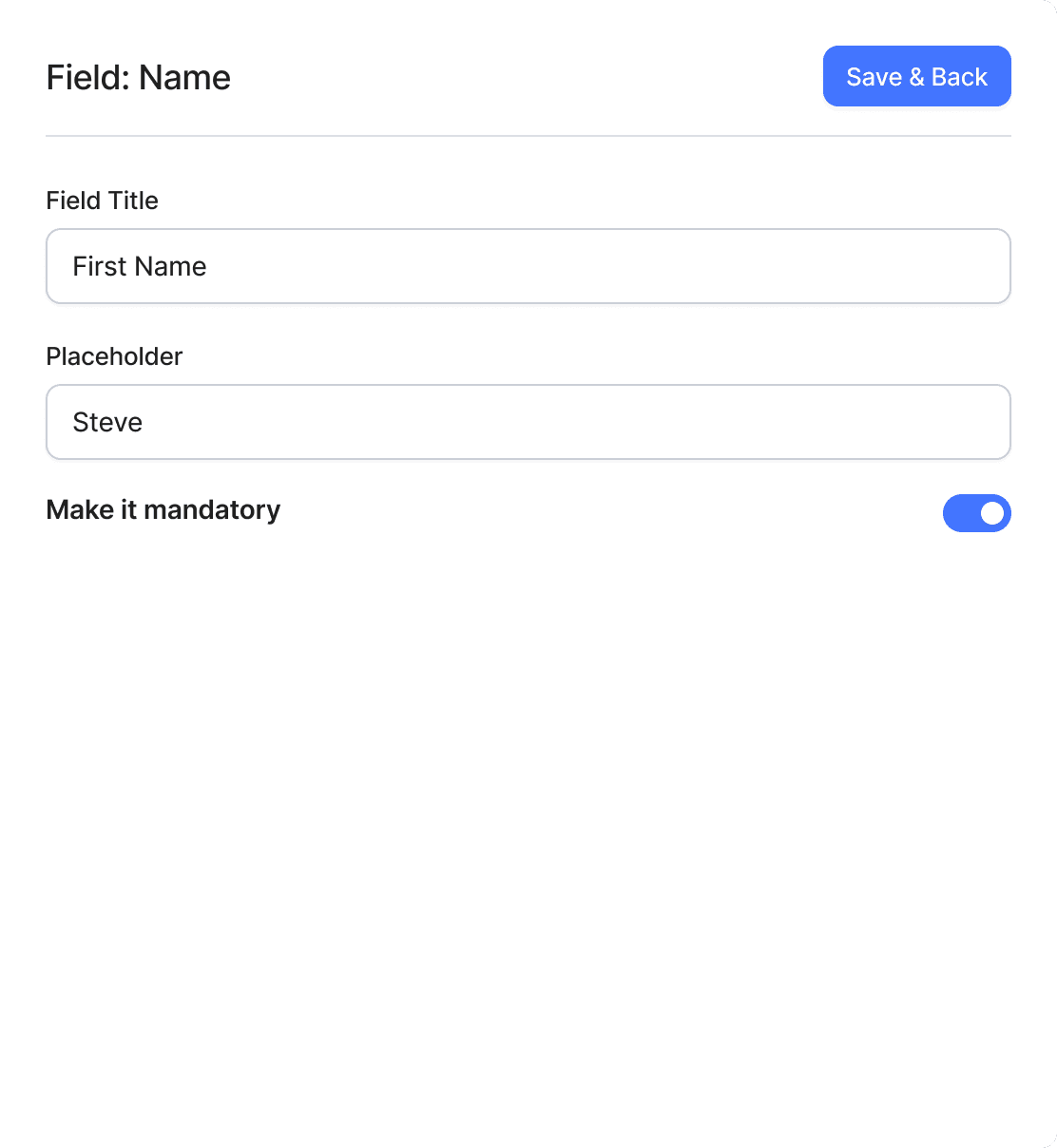
The form serves as the main entry point to the event. I have incorporated as many functionalities as necessary to create a well-designed and user-friendly form. By default, it is placed on the landing page, but users can also share the link or embed it within any page as an iFrame.

Field Configurations
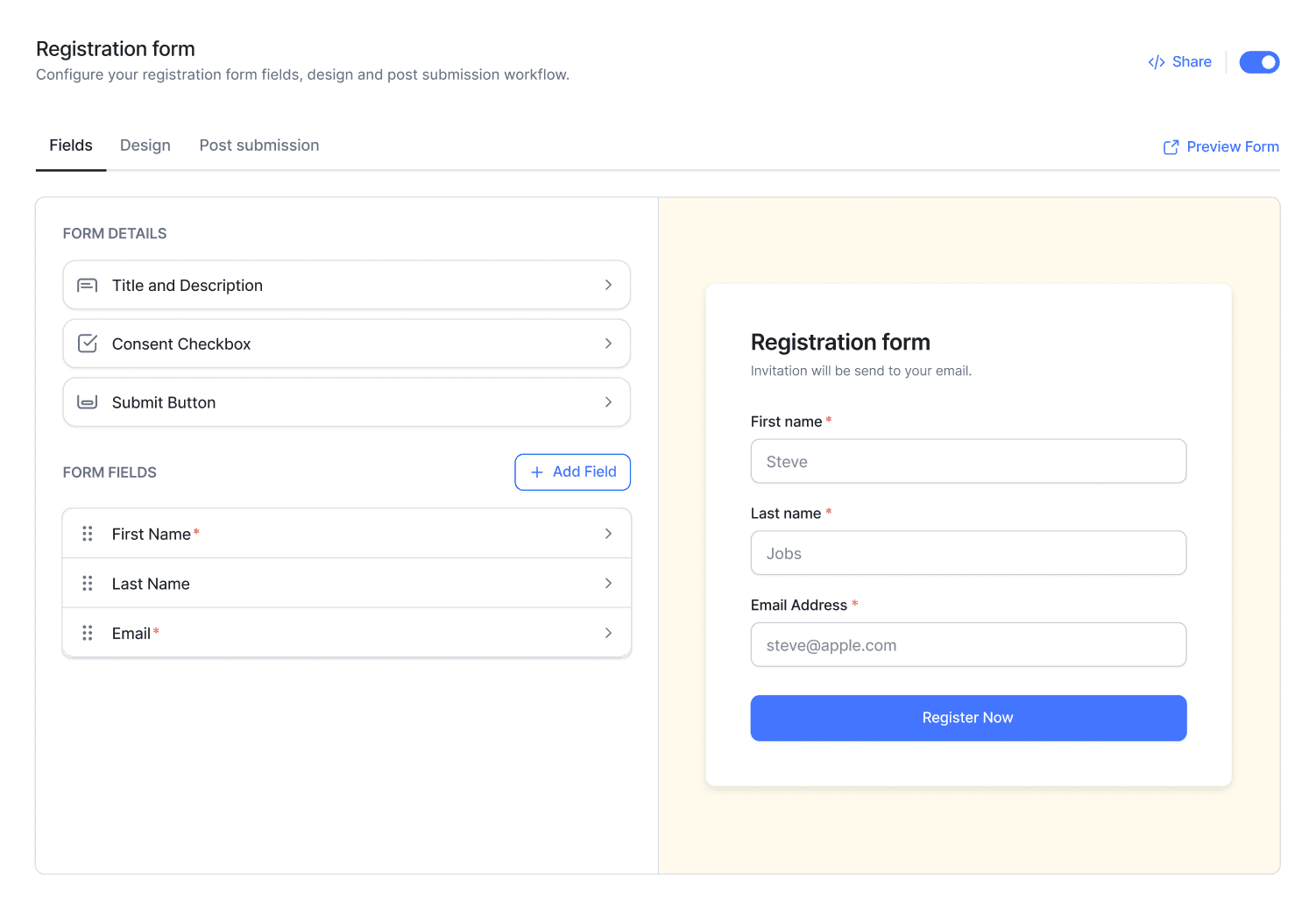
Toggle to keep form inside
landing page or not
Direct link or embed
with iFrame
Live Preview
Configuration Tab
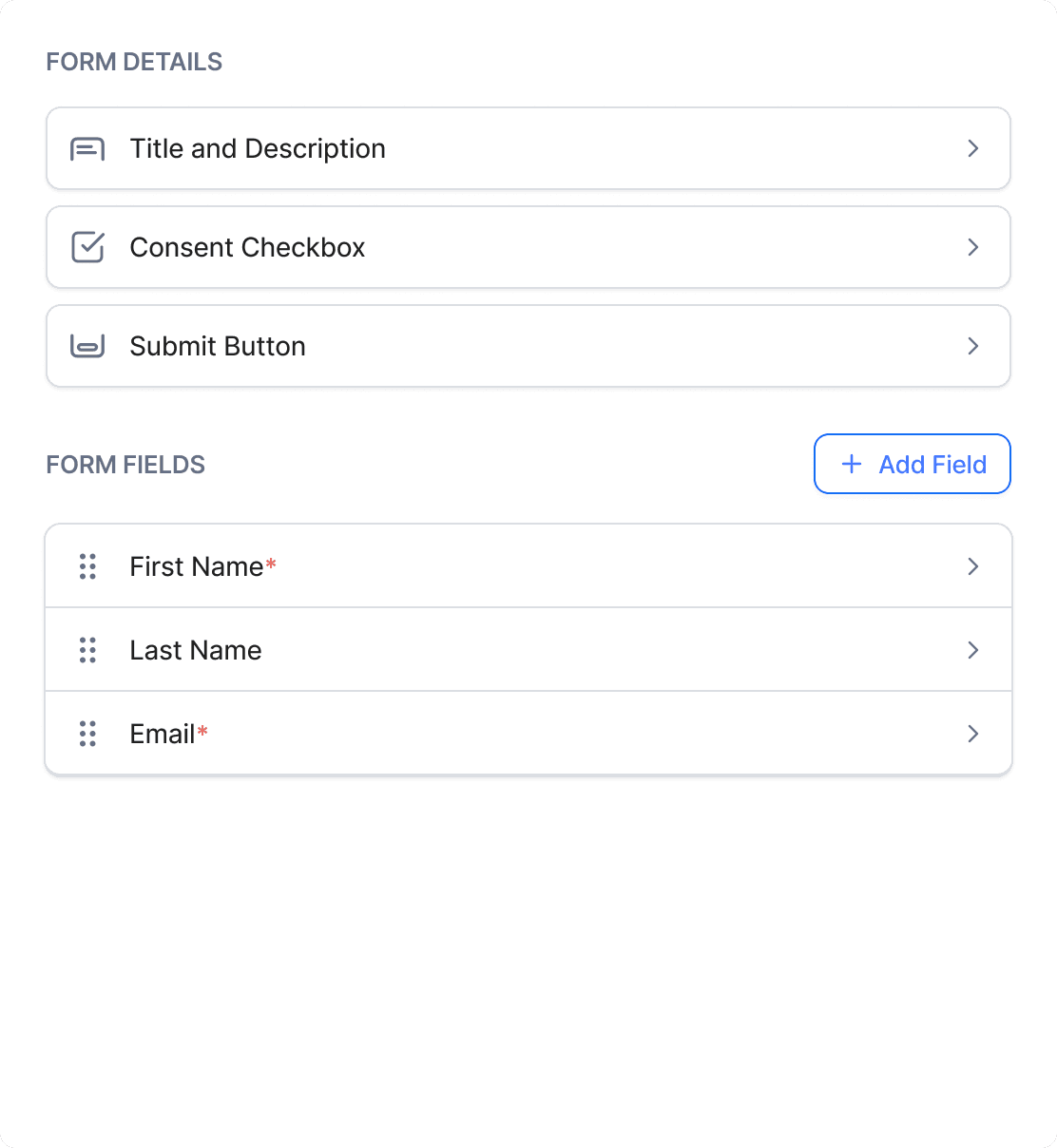
Default Form Sections
Customisable
Form Fileds


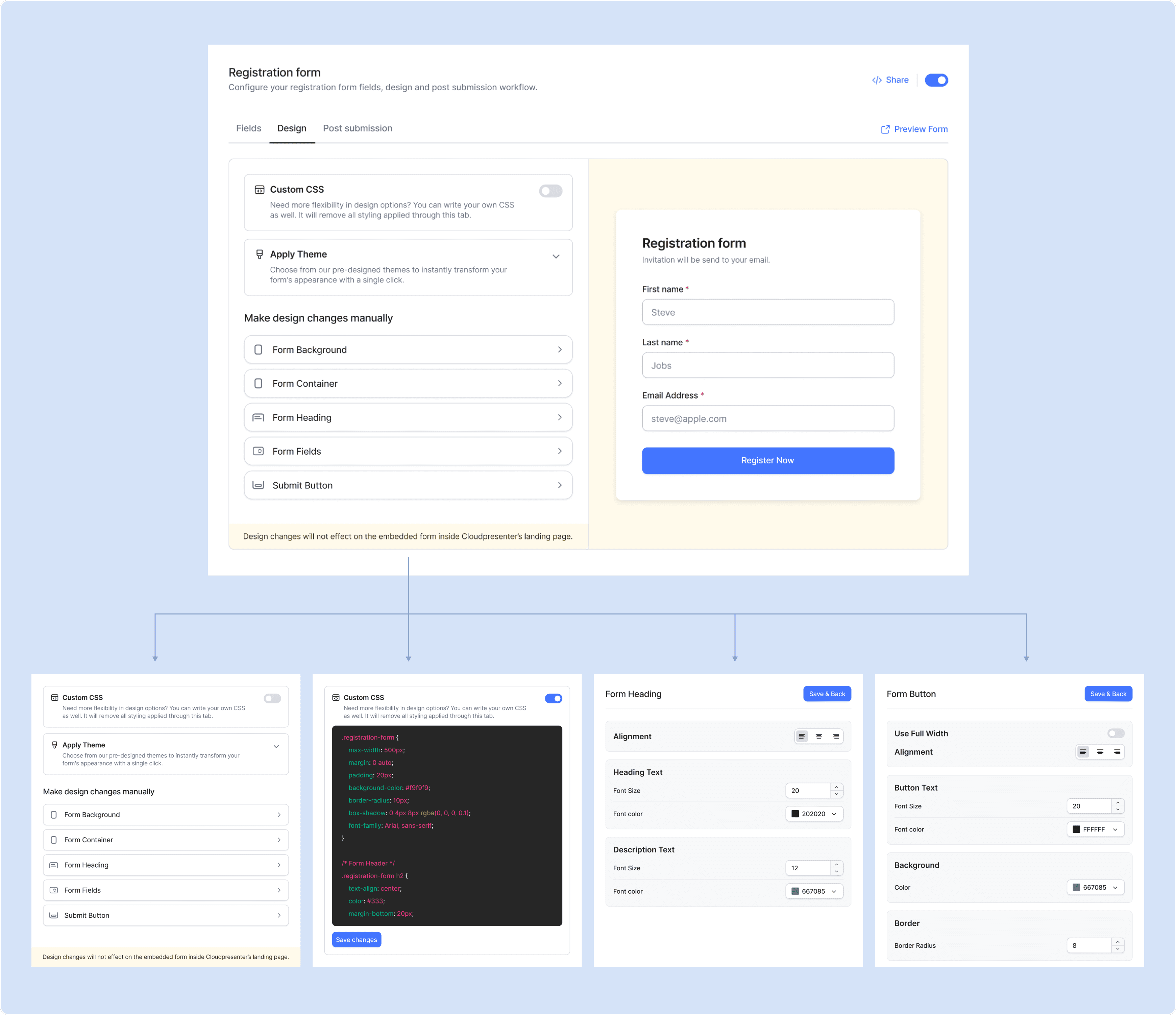
Design Configurations
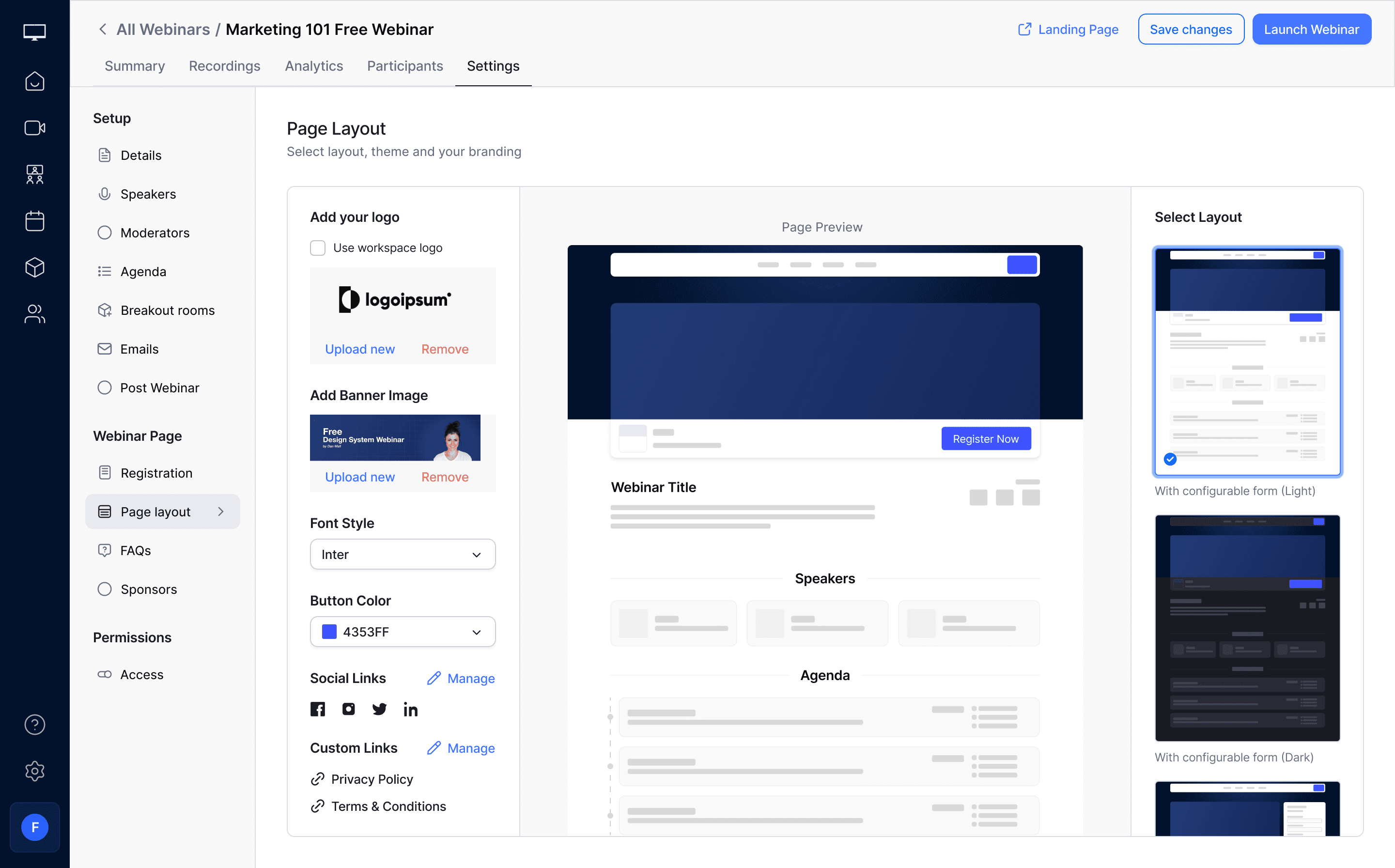
Landing Page Configurations
The webinar page has been created based on the data provided by the host during setup. Users can now customize the page by configuring the logo, banner, social media links, brand colors, fonts, and selecting from the available themes.
Summary & Analytics
Once the webinar concludes, the full recording, individual recordings, transcript, polls, Q&A, and chat history will be available on the platform, along with participant analytics. Please see below for details.
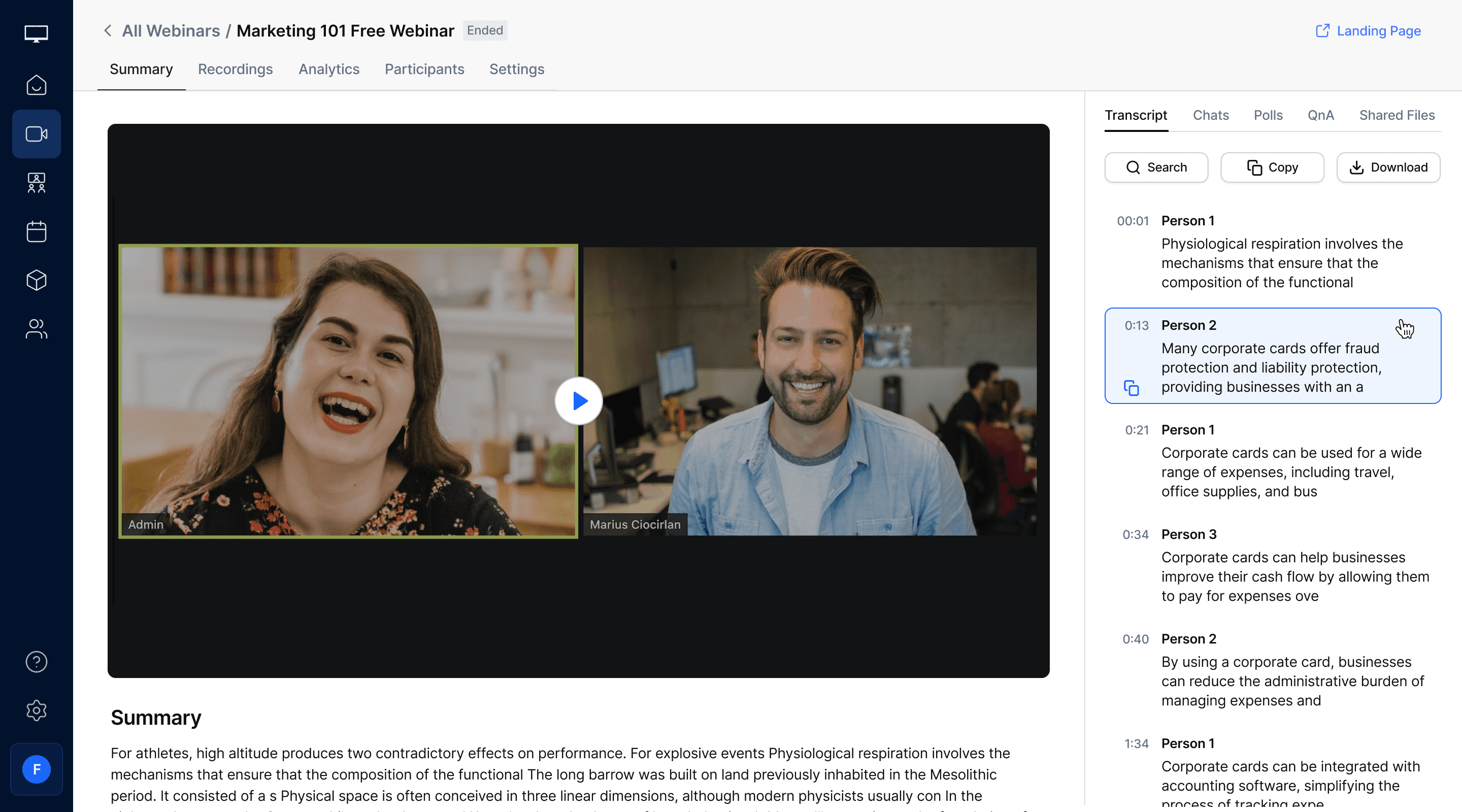
Overall summary of the webinar including Transcript, Chats Polls etc.



Thank You For Reading.
Although there were more to cover, including it all would have made the case study too lengthy for readers.